
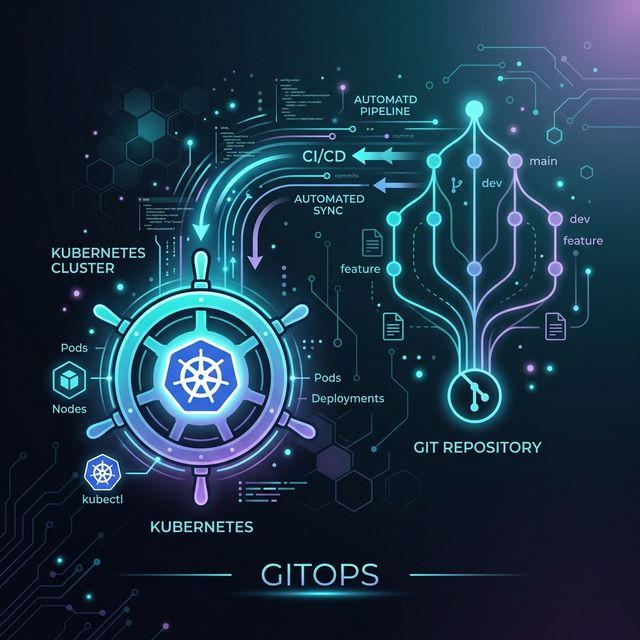
Mastering Kubernetes via the GitOps Model
GitOps has rapidly become the undisputed gold standard for managing modern containerized cloud environments. By deeply combining the declarative execution nature of native Kubernetes with the immutable and collaborative version control of a Git repository, engineering organizations are suddenly achieving a level of deployment safety, velocity, and audibility previously thought impossible.
What exactly is GitOps?
At its core, GitOps forces organizations to use Git repositories as the complete single source of truth for delivering all Infrastructure as Code (IaC). Instead of DevOps engineers manually running bespoke kubectl apply -f . commands or clicking aimlessly through a chaotic cloud console UI, engineers simply merge a formalized Pull Request.
Once merged, dedicated intelligent agents—such as ArgoCD or Flux—which live inside your clusters constantly monitor the main Git branch and automatically pull the desired state directly into production. If manual configuration drift occurs (i.e. someone tweaks a running Pod externally), the GitOps agent instantly catches it and reverts it back to exactly what is defined natively in your code repository.
Key Technical Benefits for Kubernetes
- Disaster Recovery: If a production cluster structurally fails or burns down unexpectedly, rebuilding the entire platform from scratch is as simple as re-pointing your new cluster's GitOps agent to the repository. The exact replica state is built autonomously in minutes.
- Zero Trust Security & Auditing: Absolutely nobody touches the cluster directly. All architectural changes execute strictly via Git Pull Requests, providing an immutable audit log of exactly who changed what, the exact line of code, and the specific time it triggered.
- Unlocking Developer Experience: Frontend and backend developers can focus entirely on committing code instead of wasting countless hours learning heavily complex, bespoke CI/CD deployment pipelines manually constructed per microservice.
By enforcing this strict declarative security model, modern engineering teams using the GitOps pattern drastically reduce their mean-time-to-recovery (MTTR) while fundamentally eliminating complex configuration drift inside multi-cluster architectures.
Initializing ArgoCD (Code Example)
Bootstrapping a GitOps agent inside your cluster is incredibly straightforward. Below is a raw example of installing ArgoCD natively and creating an Application custom resource that strictly points to a specific GitHub repository branch:
# 1. Create the ArgoCD Namespace and Install
kubectl create namespace argocd
kubectl apply -n argocd -f https://raw.githubusercontent.com/argoproj/argo-cd/stable/manifests/install.yaml

# 2. Define an Application Manifest (app.yaml)
apiVersion: argoproj.io/v1alpha1
kind: Application
metadata:
  name: production-frontend
  namespace: argocd
spec:
  project: default
  source:
    repoURL: 'https://github.com/cloudest-consulting/frontend-app.git'
    targetRevision: main
    path: k8s/production
  destination:
    server: 'https://kubernetes.default.svc'
    namespace: production
  syncPolicy:
    automated:
      prune: true
      selfHeal: true
Once you apply this application definition (kubectl apply -f app.yaml), ArgoCD permanently takes over. If you ever update the deployment image tag natively inside your GitHub Repository's k8s/production folder, ArgoCD automatically detects the Git hash change and seamlessly rolls the cluster forward to perfectly match reality.
Integration Opportunities
- GitHub Actions / GitLab CI: Automate your PR workflows so tests run automatically natively. Once code is safely verified, your pipeline scripts specifically bump the
image:tagstring inside the Git manifests via a programmatic Git commit, triggering ArgoCD seamlessly. - Sealed Secrets: Native Kubernetes Secret manifests cannot be cleanly committed to Git because they lack at-rest encryption. Integrating Bitnami Sealed Secrets or External Secrets Operator (mapping to AWS Secrets Manager) explicitly solves this by allowing safe, encrypted configuration payloads right alongside your code!